
 by
by Warning: BGP sessions are only enabled when our automation tool detects a valid
route/route6object for your ASN. If you have some configured but the session does not enable after 24 hours, you can reach us via a support ticket.
Servperso filtering is divided into two parts:
- Servperso internal filtering
- Upstream filtering
Requirements to pass the filter
Strict matching route object
Every BGP announcement you plan to make requires an exact match in the RIR database. For example, if you own a /44 and announce 3 /48 subnets, you need one route object per /48.
Always try to create entries in the RIR where the resource is registered. For example, if the subnet is from RIPE, use the RIPE database. If this is not possible, try RADB first, then ALTDB. However, we cannot guarantee that prefixes from these databases will be accepted everywhere.
RPKI – Valid or non-present
Ensure all subnets are covered by a valid or non-present RPKI entry. Invalid prefixes will be filtered out.
Respecting best practice rules
We only accept IPv6 prefixes up to /48 and IPv4 prefixes up to /24. More specific prefixes are filtered to comply with best practices.
Requesting prefix addition to Servperso filters
Region with automated bgp (dusseldorf)
Your asn is automatically added to our bgp manager tool during the request. Filters are updated twice a day. Some of our upstream update their slower (so the 3 days delay remaining applicable).
Region with manual bgp (netherlands)
To ensure your prefixes can pass our filtering, we need to manually add them. We still use automated bgp tool, but we need to submit an additional request to our upstreams too. Please complete the previous steps before requesting an addition. Then, send us your asn + prefix list over ticket. First request was covered during the order process.
If you have downstream, you need to list downstream asn + prefix too.
Downstream & As-Set
Our automated tool doesn’t handle as-set for routing security reason. To add a downstream asn, you need to reach our support via ticket and provide downstream list. Announcement allowance with the asn owner will be check during the process. Every bgp session have a “downstream limit number” set. For some offers, it’s not permitted. Our system just whitelist the prefix for your main asn and the maximum number of downstream allowed on your bgp session. Asn are sorted by num asc. All asn out of limit will be ignored. You can own multiple product with different limit, we enforce limit per product basics.
Requests must be submitted via a manager ticket to allow our staff to authenticate you.
Troubleshooting
Step 1 – Verify via our BGP troubleshooting tools (Looking Glass and BGP sessions)
Servperso provides two useful tools to help you troubleshoot if we are receiving your prefix: our Looking Glass and a complete list of BGP sessions.
Looking Glass
https://www.servperso.net/network/lookinglass
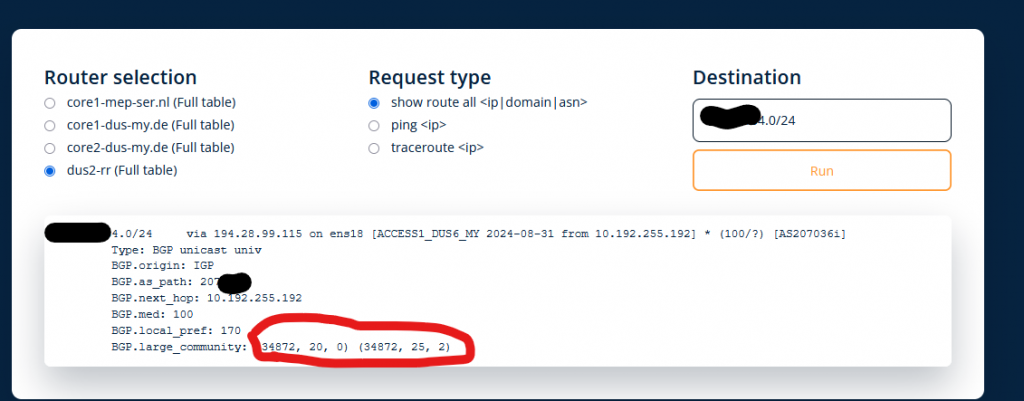
Our Looking Glass is simple to use: enter your prefix and choose a router based on your region.
A route with large communities (34872, 20, 0) is correctly tagged as a downstream by our network and announced to our upstreams.
BGP Sessions
https://www.servperso.net/network/bgp
The BGP sessions page provides a full list of BGP sessions established on our backbone. You can check the status of your BGP session and see which routes we receive from you.
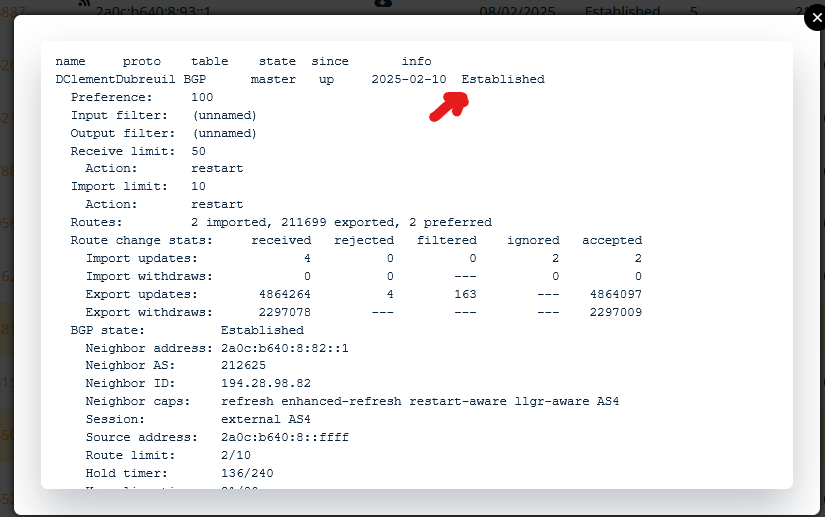
To use this tool, press “CTRL + F” to search for your ASN in the list. You can then view received routes and session status. The tool refreshes every minute, but clicking on the icons provides a live view.
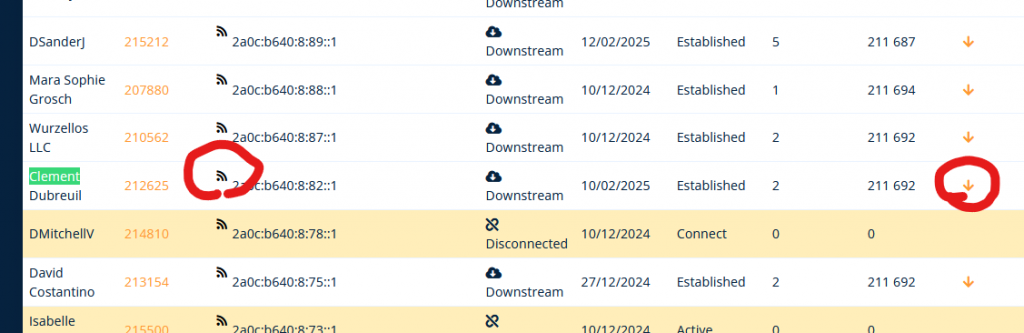
Wireless icons indicate the status of your BGP session. You will also see a “filtering counter,” which helps identify rejected routes.
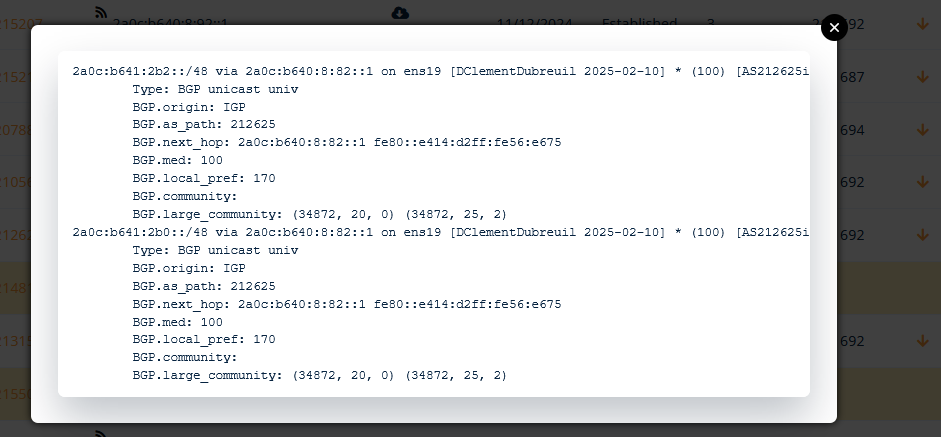
Down arrows indicate the list of prefixes we receive through our filters. Only accepted prefixes appear here.
Step 2 – Wait 3 Working Days
Some of our upstream providers update their filters manually at regular intervals. After ensuring that everything is correct on our side (ASN in the AS-SET + route object creation), please allow up to 3 working days for changes to propagate.
Step 3 – Contact Us
If after the 3-day delay your prefix is still not available despite following all previous steps, please open a ticket via our manager so we can assist you.